

Learning outcome
AT THE MASTER CLASS:
-
01
LEARN TO CREATE INCREDIBLE PHOTOS
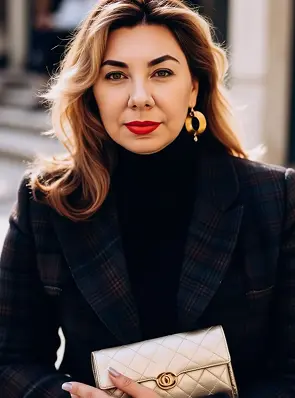
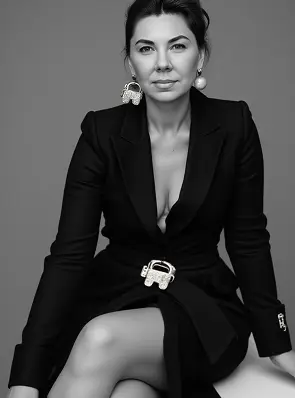
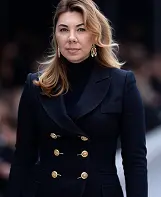
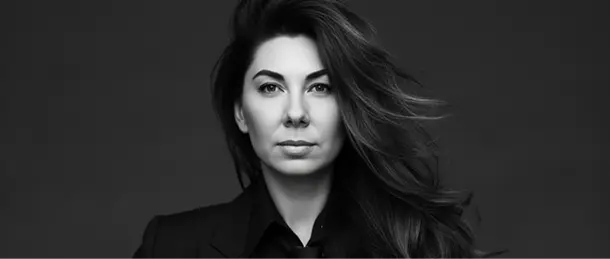
You'll be able to generate visuals that look like stills from a movie or glossy magazine—without leaving your home or needing a photo shoot.
-
02
FORM ACCURATE AND CREATIVE REQUESTS
You'll understand how to "control" artificial intelligence with words: describe an image, mood, style, and details in a way that achieves the desired result.
-
03
USE POPULAR AI PLATFORMS TO CREATE IMAGES
Explore tools like Midjourney, Leonardo.ai, Imagine.art, and more. I'll show you how to sign up, set up your workflow, and start generating images.
-
04
WORK WITH REFERENCES AND UNDERSTAND THE VISUAL STYLE
You'll learn how to create the mood of your photos: choose colors, composition, effects, and backgrounds to make your images look stylish, harmonious, and professional.
-
05
CREATE UNIQUE CONTENT FOR SOCIAL MEDIA, BRANDING, OR CREATIVITY
Get ideas on how to use neurophotography in your blog, social media, Pinterest boards, designs, posters, or even products to grab attention and create a wow effect.
-
06
STORE, PROCESS AND CONVERT PHOTOS INTO FINISHED WORKS
I teach you how to properly store files, edit them, combine them with text, add frames or backgrounds, and use finished images in real-world tasks.
WHAT'S INSIDE THE MASTERCLASS
-
01
INTRODUCTION: WHAT IS NEUROPHOTO AND HOW IT WORKS
You will learn how artificial intelligence works in image creation and understand how it sees and forms visuals.
-
02
REVIEW OF GENERATION PLATFORMS (MIDJOURNEY, LEONARDO, IMAGINE.ART, ETC.)
Explore the most popular services—Midjourney, Leonardo, Imagine.art, and others—and choose the one that's most convenient for you.
-
03
HOW TO CORRECTLY FORMULATE REQUESTS
Get step-by-step tips on how to create clear and understandable prompts so that AI delivers exactly the results you want.
-
04
HOW TO STYLIZE, STORE, AND USE YOUR PHOTOS
Learn how to add styles, save high-quality files, and use them effectively in your work or personal projects.
-
05
IDEAS: WHAT LOOKS TO CREATE, TRENDS, WHAT TO PAY ATTENTION TO
Find out what visuals are trending now, get inspiration, and find examples for your own creative projects.
-
GUIDE WITH READY-MADE QUERY (PDF)
You'll receive a set of proven prompts that you can use without any additional settings.
-
LINKS TO USEFUL RESOURCES
A list of websites, services, and tools that will help make working with neurophotos even easier and more engaging.
TRAINING FORMAT
-
FORMAT
You will receive a recorded video lesson with clear explanations of each step.
-
DURATION OF TRAINING
The lesson lasts about 40-45 minutes - concentrated content without fluff: only practical steps.
-
ACCESS TO MATERIAL
Immediately after payment you will receive an email with a link to the video.
-
ACCESS PERIOD
You'll have access forever. You can return to the lesson whenever you need to.

CREATE YOUR FIRST NEUROPHOTOSET
Join the master class and create
your first neurophotoset consciously,
boldly, and in a new way.
